Sort Them Ducks Controls
Bindings, camera quirks, controller jump, and Deck comfort so the shop stops fighting your hands.
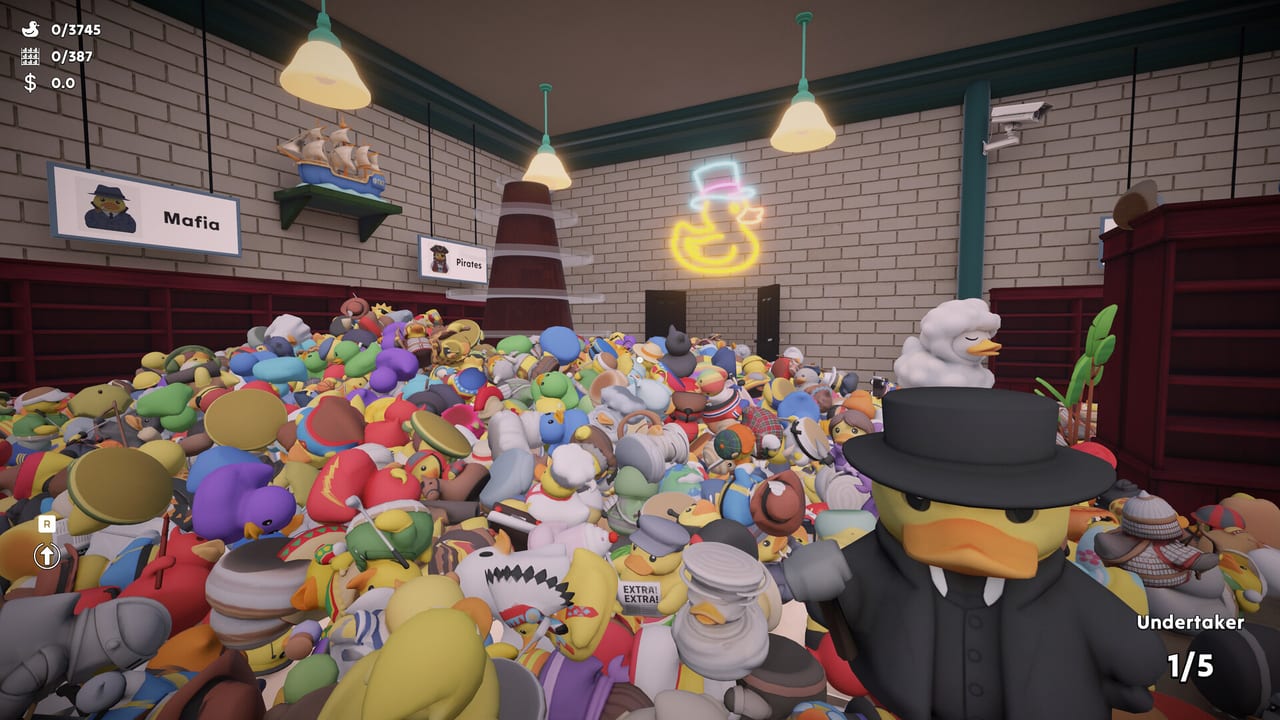
Sort Them Ducks is a first-person tidy-up game, which means the control scheme is half walking sim and half inventory. Steam lists full controller support, DualShock and DualSense notes, and Steam Cloud. That marketing line is mostly true and slightly optimistic. Keyboard and mouse feel native. A controller is comfortable after you raise look sensitivity. Steam Deck works for people who already live on handhelds, with the usual Proton caveat that Steam still stamps the store page as Windows.
Read this page after Getting Started if the camera is the thing making you tired, not the ducks. Pair it with movement upgrades once you can afford sprint and jump comfort, and with performance tools if input feels floaty because the frame rate is collapsing under a duck mountain.
Keyboard and mouse
Expect a standard FPS-style move set: walk, look, interact to pick up, interact to place. Crouch helps you see lower planks and ducks that rolled under a lip. Jump is how you contest top shelves; if it does nothing, you are not imagining it — Patch 1 specifically restored jumping on controller, which implies the action exists on keyboard too and can fail when a bind is wrong.
Zoom is a trap if you leave it half-toggled. Patch 1 fixed a bug where exiting zoom left field of view stuck, and another where high FOV clipped the camera through walls. If the world suddenly looks like a visor, toggle zoom again or restart the session. Looking fully up and down was also unlocked in that patch; older footage may show a narrower pitch range.
A Steam review thanked the developer for adding right-side keyboard access quickly. If you type or play with the mouse on the left, check the latest in-game settings rather than copying an old screenshot. Sensitivity is worth raising on both mouse and controller; one preview writer did both and still found turning a little slow until the slider moved.
Controller
Full controller support is on the store page. Community threads still asked whether support is complete, mostly because UI prompts and jump were rough at launch. Patch 1 fixed controller jump. If your build predates that news post, update before you assume the bind is missing.
Look sensitivity is the second complaint. The shop is wide. A low stick curve means you spend more time rotating than sorting. Raise it until 180-degree turns to a sign feel casual. Invert look if that is how you play every other first-person title; the game is not trying to teach a new camera language.
Button prompts in menus were called out as needing work. Until a later patch polishes them, learn the layout once and ignore the on-screen labels if they lag. Placement interact should stay on the same face button as pickup so your thumb does not hunt.
Steam Deck and handhelds
Several Steam reviews were written primarily on Deck. The loop suits a handheld: no competitive timing, sessions you can pause, and a shop that looks charming on a small screen. Cap the frame rate. The official minimum GPU is not a handheld chip, and duck piles are the expensive view. If the image flashes or the mouse-as-gyro feels drunk, check whether you are on an AMD handheld path that needs the Ryzen launch option.
Cloud saves exist. One reviewer swapped between a Legion Go and a PC and briefly saw skills carry over without shelved ducks. Resyncing fixed it. If you hop devices, wait for the cloud icon, then confirm a shelf you already filled is still filled before you spend another hour.
Settings that are not bindings
Audio: duck quacks were loud enough that Patch 1 lowered them. Music still sits under some people’s podcasts; others wanted a better mix. Use the sliders. Graphics options are limited, which is why staring into dense piles remains the FPS tax. Binding a screenshot key is optional; binding patience is not.
When the hands feel right, go back to sorting. Use high shelves for the actual jump geometry, and walkthrough when you want a route instead of another sensitivity tweak.
Frequently Asked Questions
Quick answers to the questions players ask after a long sorting session.
Does Sort Them Ducks support a controller?
Yes. Steam lists full controller support. Update to Patch 1 or later so jump works, and raise look sensitivity.
Why does zoom feel stuck?
A launch bug left FOV wrong after zooming. Patch 1 fixed it. Toggle zoom again or restart if an older session still looks cropped.
Can I play on Steam Deck?
Players have finished Deck sessions. Cap FPS, watch cloud sync if you also play on PC, and use the Ryzen launch option on AMD handhelds if the screen flashes.
Where are movement upgrades explained?
On the movement page under Upgrades. Bindings get you into the shop; upgrades make crossing it less of a hike.